Answer
The caller gets a response when your team is busy, after hours, or helping someone else.
Quest Works resource
An AI receptionist is only useful if the business knows what happened after the call. Here is the Quest Works workflow: answer the caller, capture the right context, create an outcome, and make the next step visible.
Product evidence on this page uses fictional demo data. It is intended to show the workflow, not represent a customer result.
What happens when the phone rings?
Quest Works configures the receptionist around the information and decisions your team actually needs. The exact questions, scheduling behavior, routing, and escalation rules depend on that setup.
The caller gets a response when your team is busy, after hours, or helping someone else.
The receptionist separates a new lead, existing-customer question, appointment request, urgent message, or unsupported request.
The business receives a summary and a clear next step instead of an unexplained missed call.
The workflow
The caller reaches the AI receptionist.
The receptionist identifies why the person is calling.
The configured questions capture the details the business needs.
The workflow answers, takes a message, supports an appointment request, or starts an escalation path.
The call becomes a summary and outcome.
The outcome appears in the portal for the team to review.
A person completes the next step when follow-up is needed.
Step 1
A useful receptionist starts by identifying the caller's goal. For a home-services business, that may be an active leak, a service request, or a request for the next available appointment. For a med spa, it may be a consultation question or a booking request.
A new caller wants to know whether the business can help.
A caller reports a time-sensitive issue and needs the approved escalation path.
A caller wants a consultation or service window and needs the next available option.
Step 2
The important distinction
The fields are shaped around what the business needs to act next.
A receptionist that collects a name but loses the service need or urgency has not really solved the follow-up problem.
Step 3
The AI can respond using the business information and boundaries it has been given.
It can collect preferred times and, when the scheduling setup supports it, help the caller move toward booking.
A caller can leave the details needed for a human callback when the request should not be completed by the AI.
Urgent or uncertain situations can be routed according to the business workflow. The AI should not guess at safety-critical answers.
Step 4
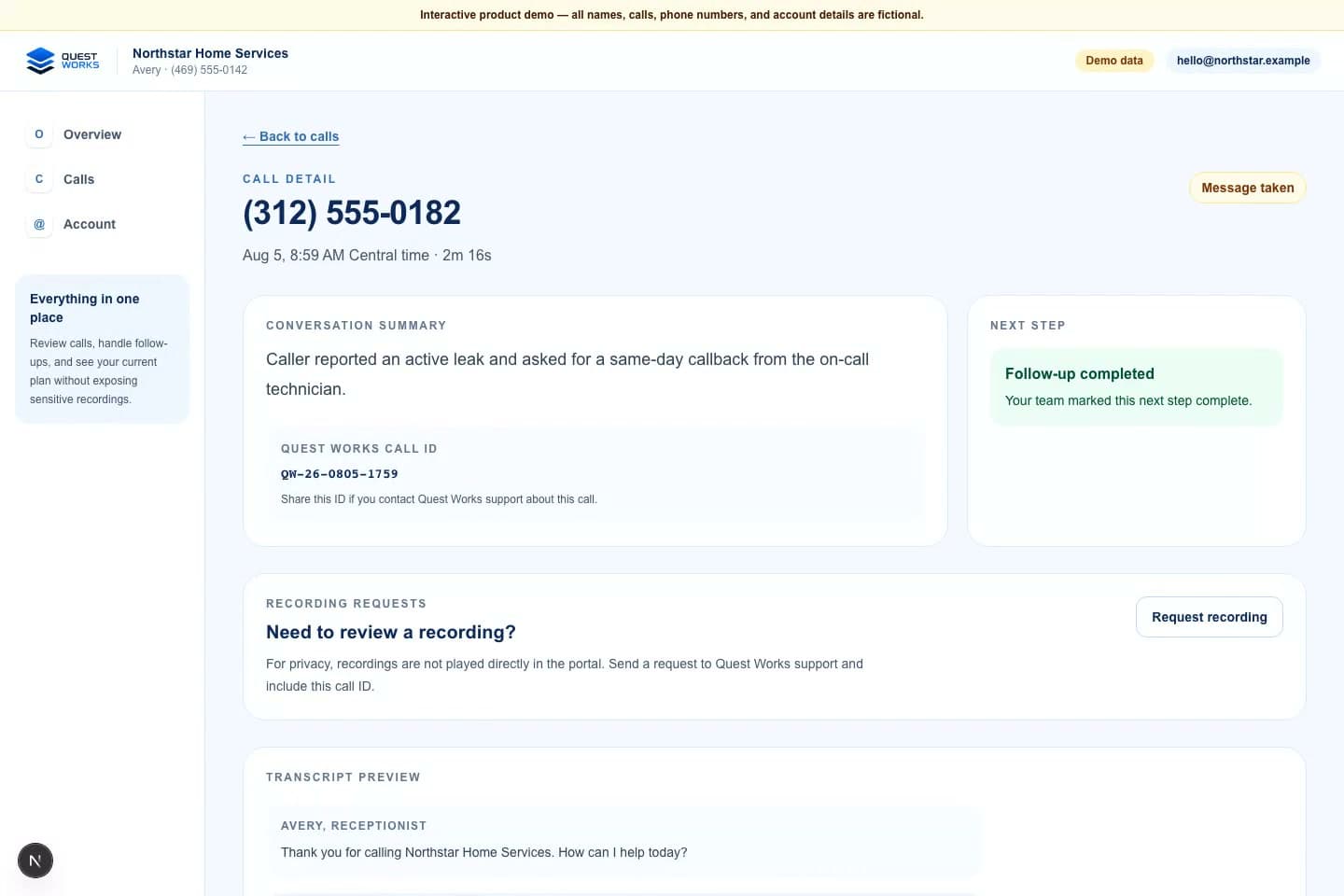
After the call, the useful output is not only a recording. Quest Works is designed to make the caller context, reason for calling, outcome, and follow-up need understandable to the team.
Caller information and the relevant contact context.
A short summary and outcome such as message taken, qualified lead, question answered, or appointment booked.
Whether the call needs human follow-up or can be treated as complete.
Step 5
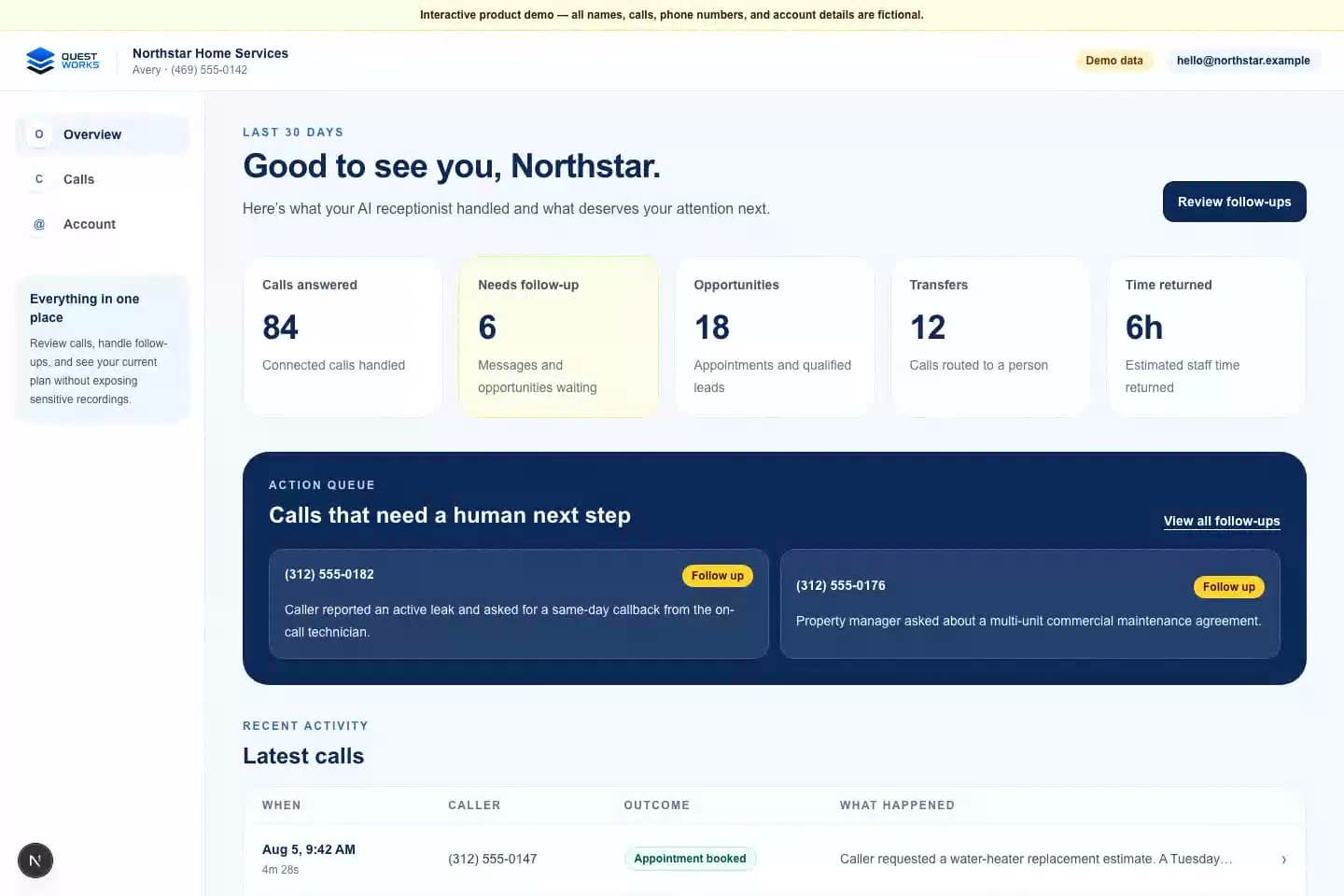
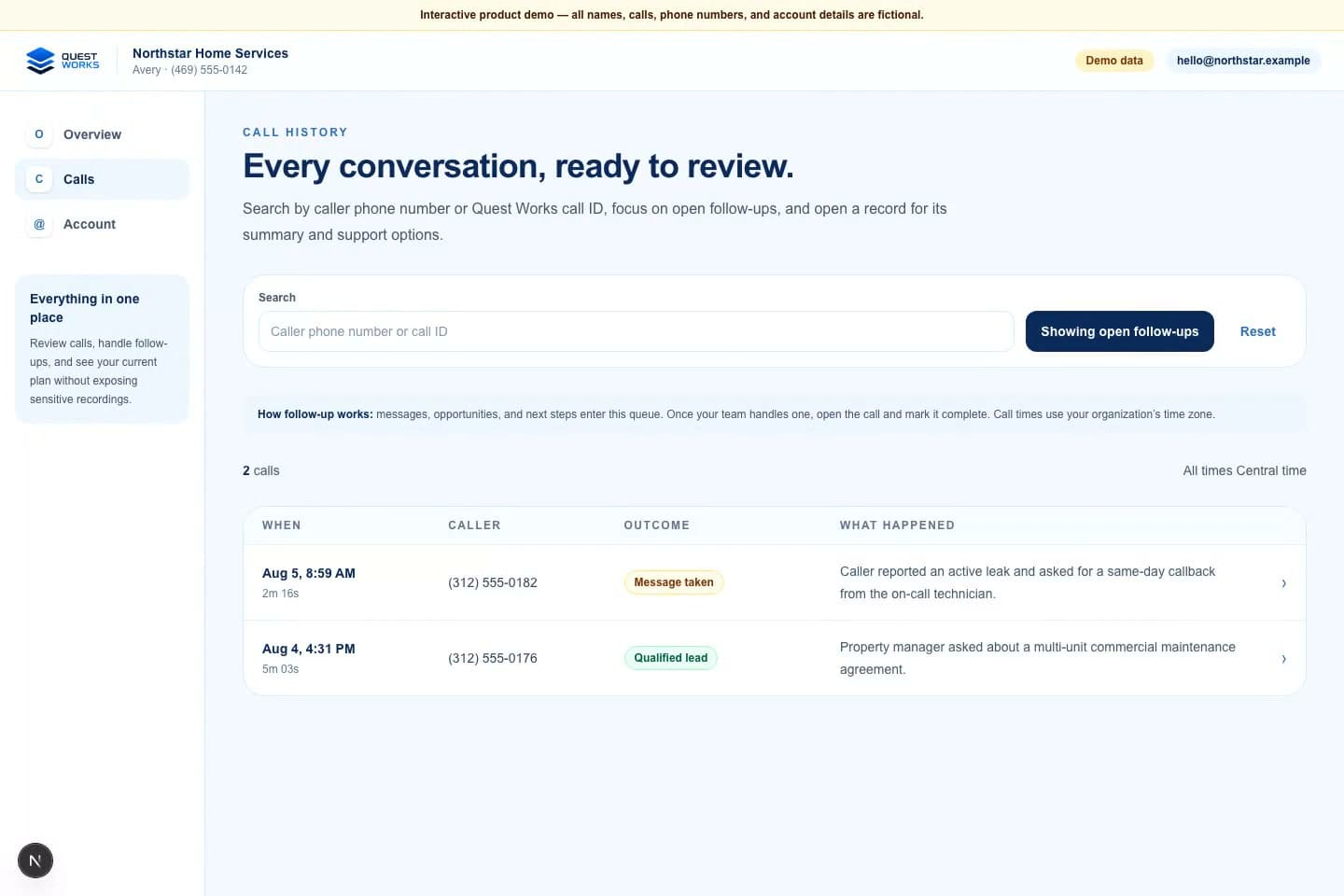
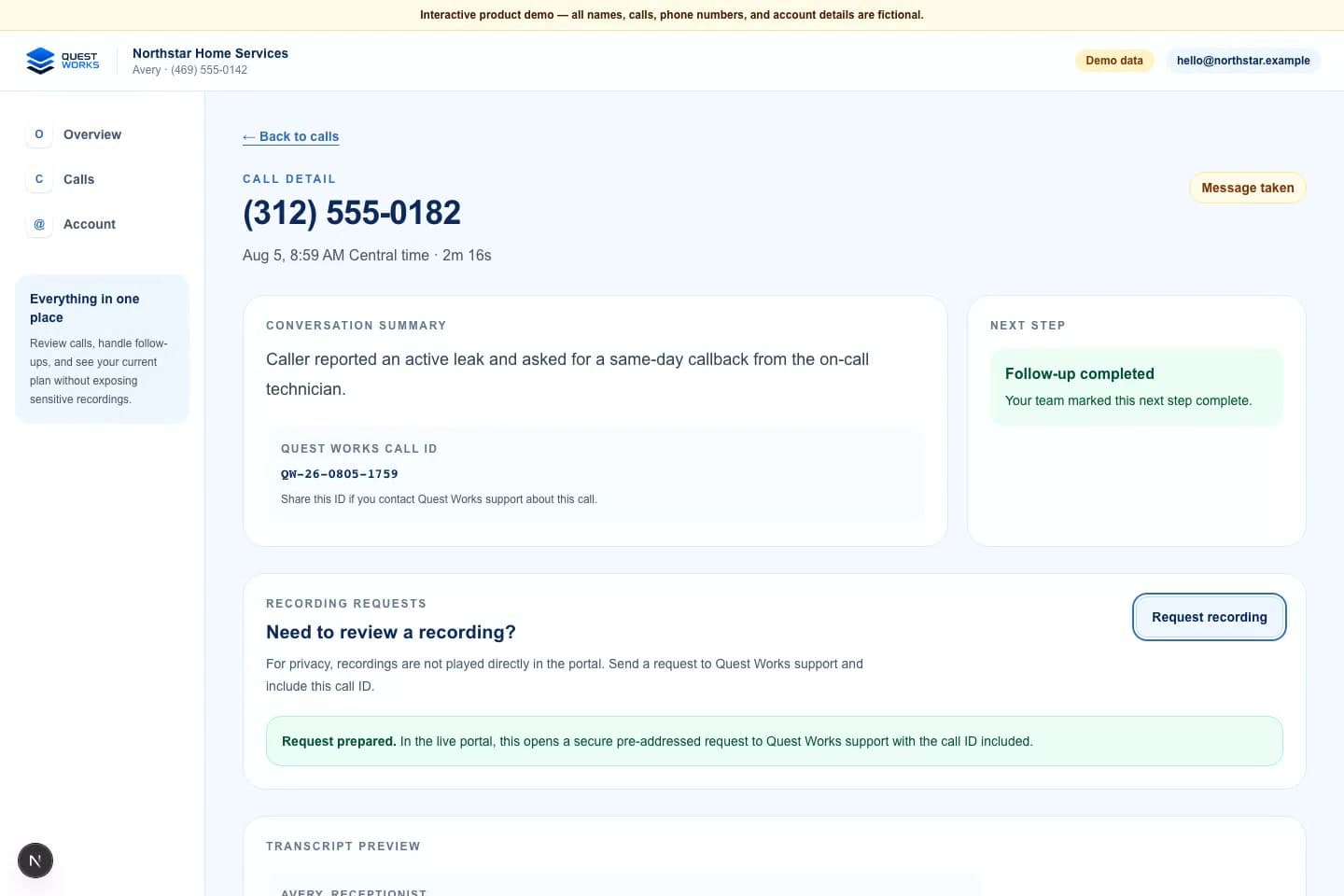
The fictional Northstar Home Services portal below is the same kind of product proof used across the public Quest Works demo. Every name, number, call ID, email, and outcome shown is fictional demo data.
Step 6
The final handoff is where the system becomes useful to the business. A message or opportunity enters the follow-up queue. A team member reviews the call, takes the next action, and marks the follow-up complete when the work is done.
That also creates a boundary: the AI can support the intake and routing, but it does not replace a human decision when the situation requires one.
The team's view
Who called, why, what happened, and what needs attention next.
Real demonstration
This after-hours plumbing demonstration shows the type of urgent call flow Quest Works can be configured to handle. It is not a customer recording.
Demonstration call - not a customer recording
Listen to demo call
After-hours plumbing demonstration call
Approved demonstration transcript excerpt
Avery, receptionist: "Thank you for calling Northstar Home Services. How can I help today?"
Caller: "I need help with a service request and would like the next available appointment."
Avery, receptionist: "I can help with that. I'll collect the details and check the next available window."
This excerpt is from the public fictional portal demonstration. The audio above is a separate privacy-safe Quest Works demonstration call; neither is a customer recording.
Boundaries matter
If the configured information is not enough, the right response is to say so and create a human next step.
The AI should follow the approved escalation behavior and avoid guessing at medical, safety, or emergency guidance.
Some callers need a person because the context is private, complex, or emotionally sensitive.
The receptionist should not imply that it can book, transfer, integrate, or answer something the current setup does not support.
See it yourself
Call Quest Works, explore the fictional portal demo, hear more examples, or review pricing before deciding what your business needs.